Flyx Map DE

For FPV and drone pilots

Can I fly today?

Flyx Map tells you at a glance: weather, airspace and gear in one app. Plus your garage with quads, parts and batteries. For iPhone, one-time purchase.

One-time purchaseNo subscriptionNo accountNo adsNo trackingEnglish & German

Features

Everything for flying day in one app

From the garage to the last landed pack: Flyx Map stays with you all day.

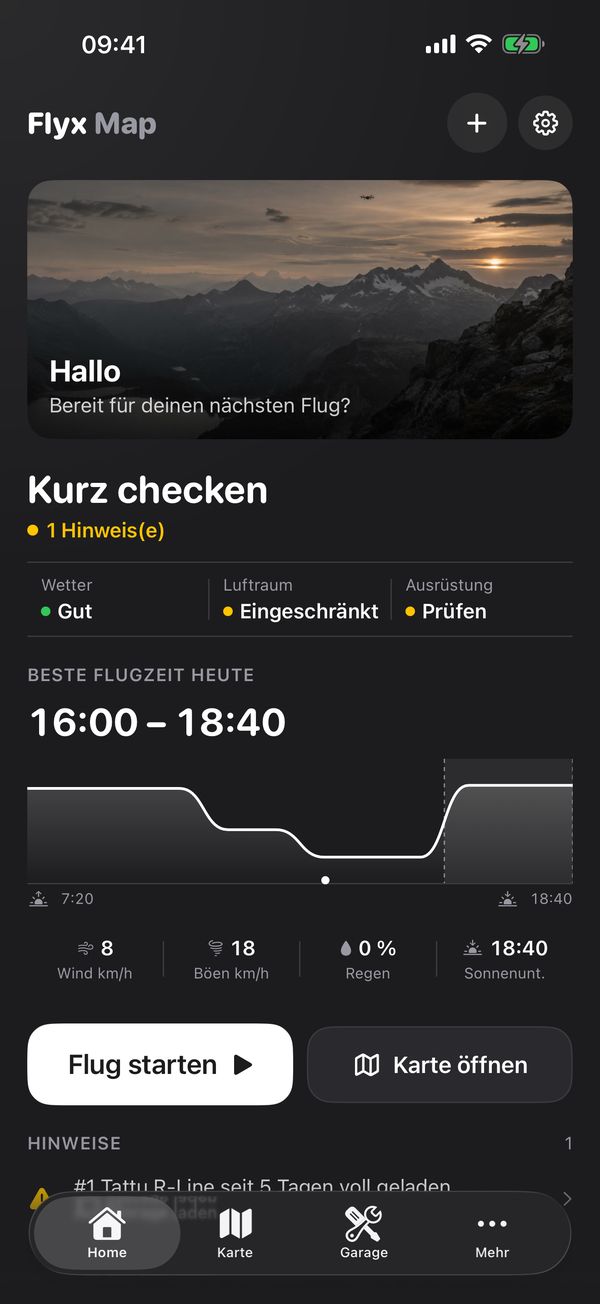
Flyx Map home: quick check with weather, airspace, gear and best flying time
Home

Fly today?

Home shows right away whether it works out: weather, airspace and gear at a glance, plus today's best flying time as a curve.

  • Best flying time with wind, gusts, rain and sunset
  • Alerts, e.g. when a pack has been sitting full too long
  • Start a flight or open the map with one tap
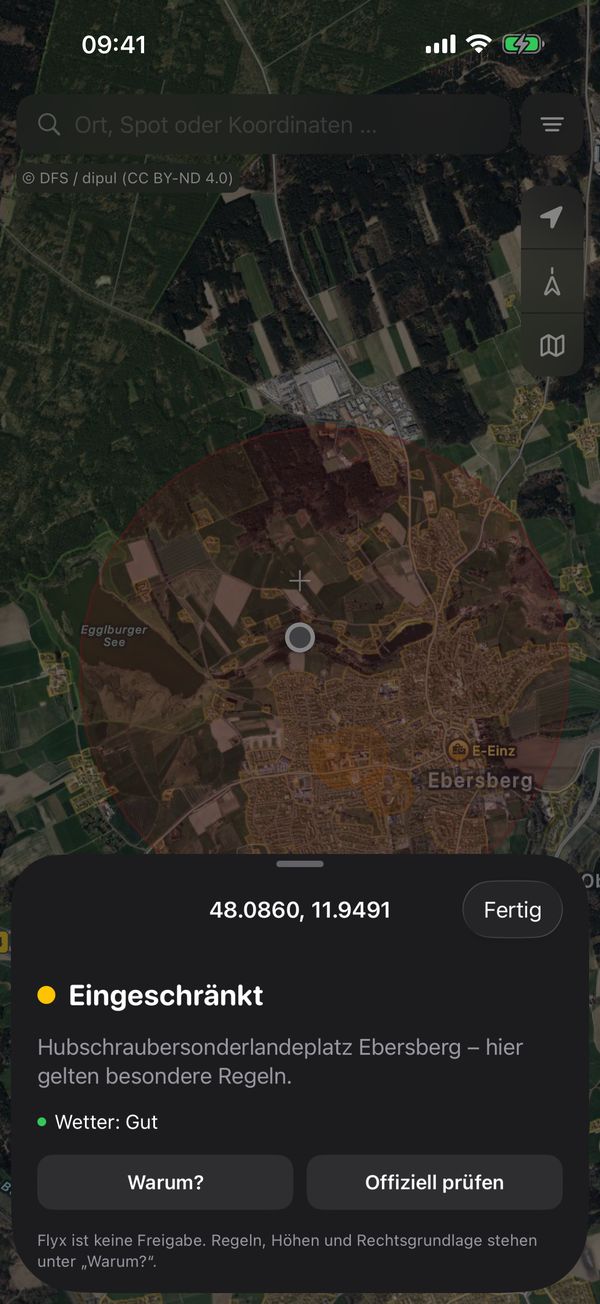
Flyx Map map: tapping a point shows Restricted with the reason
Map

What applies here?

Tap the map to see whether you can fly there, whether it's restricted or needs authorization. “Why?” shows rules, heights and legal basis.

  • Official geo zones for Germany, Switzerland, France and the USA
  • Search by place, spot or coordinates
  • Linked straight to the official check
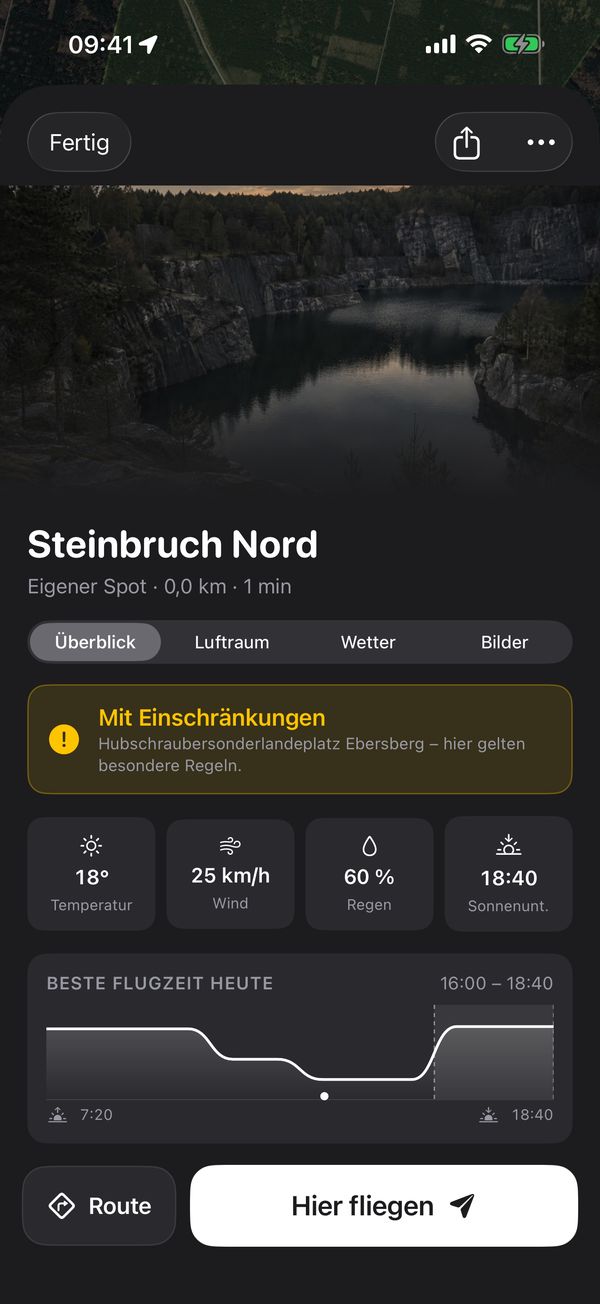
Flyx Map spot with weather and best flying time
Spots

Your spot as a flight briefing

Every spot bundles what you want to know before you drive out: airspace, weather, best flying time, photos and driving time.

  • Tabs for overview, airspace, weather and photos
  • Route with Apple Maps
  • “Fly here” plans the flight at the spot
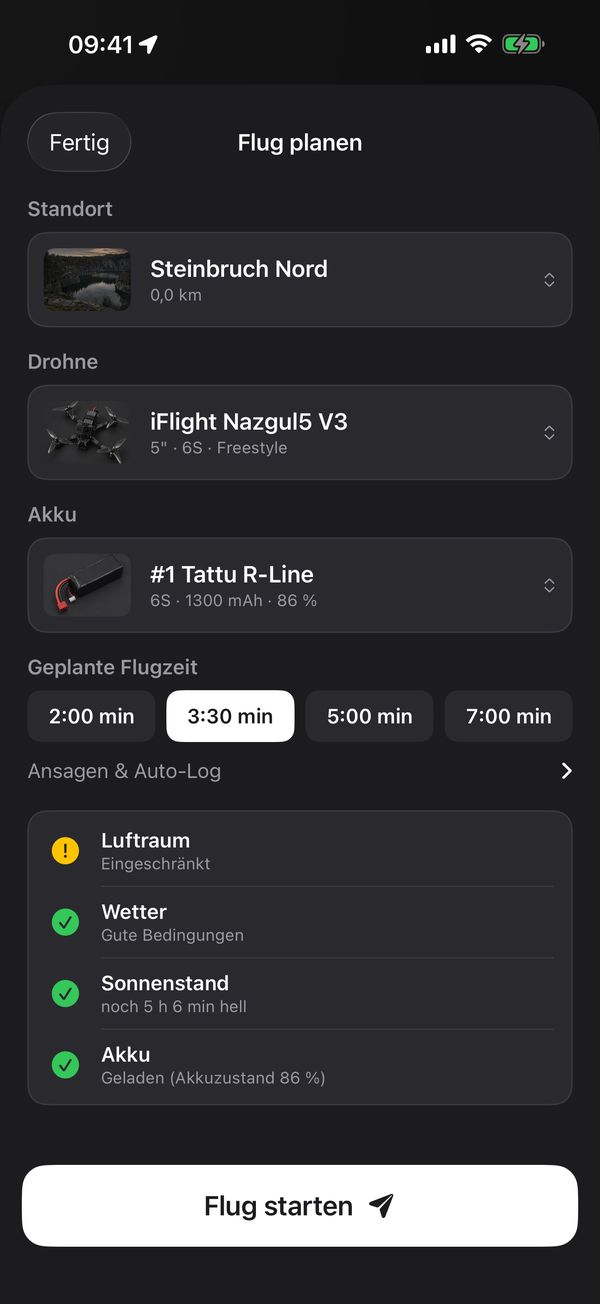
Flyx Map plan a flight with a checklist for airspace, weather, daylight and battery
Plan a flight

A checklist instead of a gut feeling

Pick spot, drone and battery, set the flight time. Flyx Map checks airspace, weather, daylight and battery and shows what's missing.

  • Timer with voice callouts: goggles on, phone in your pocket
  • Flights go into your log automatically
  • Batteries count their cycles
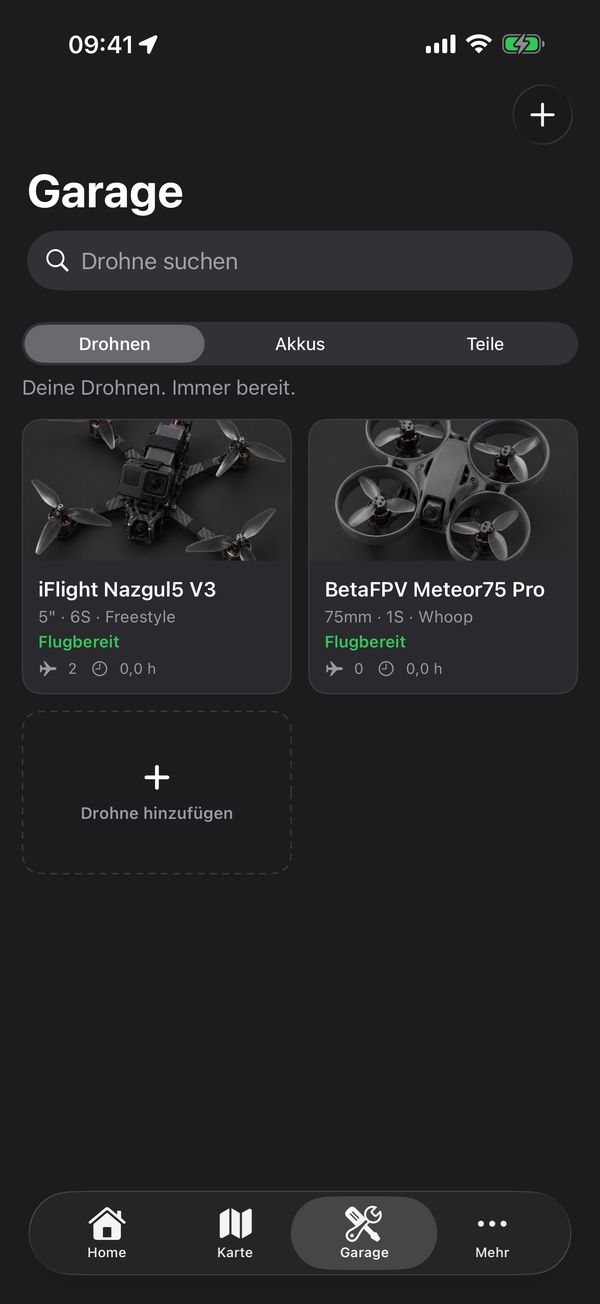
Flyx Map garage with iFlight Nazgul5 V3 and BetaFPV Meteor75 Pro
Garage

Your fleet, always ready

All quads and camera drones at a glance, with photo, class, cells and flight status.

  • Drones, batteries and parts in one garage
  • Pictures per drone type or your own photo
  • Camera-drone mode for DJI and others
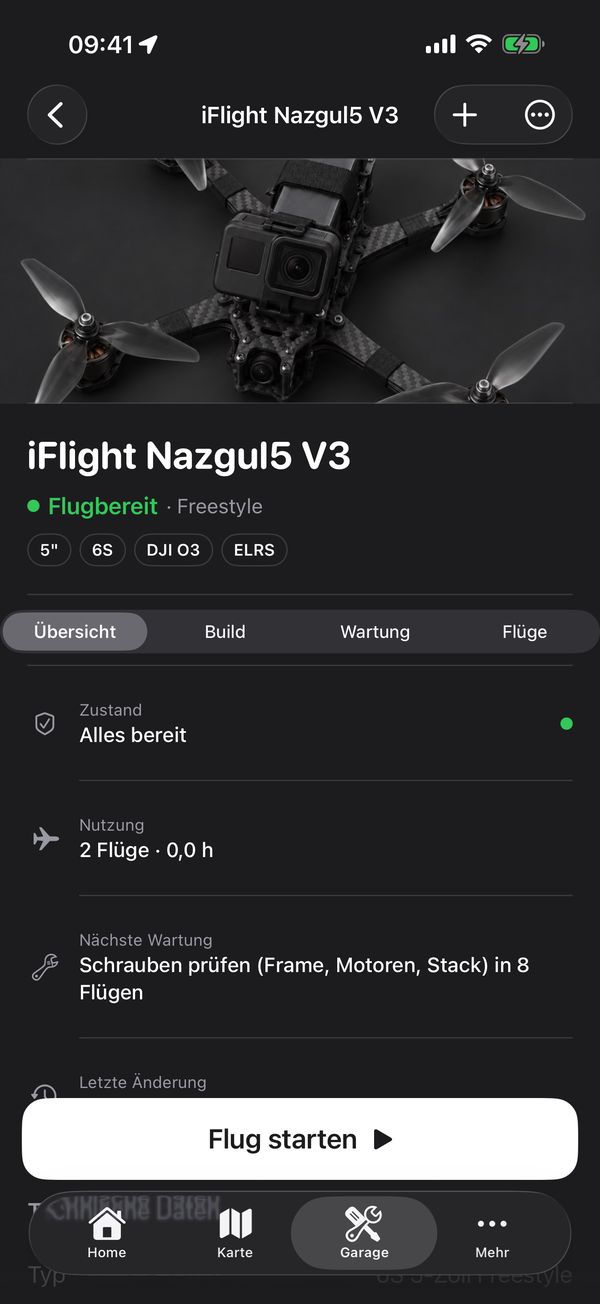
Flyx Map drone iFlight Nazgul5 V3 with status, usage and next service
Build & maintenance

Every part, every flight

For each drone: installed parts, flights, time in use and the next service. Part broken? See what was installed and whether a spare is in stock.

  • Build with motors, stack, VTX, receiver and camera
  • Maintenance by flights, e.g. check screws
  • Missing parts go on the shopping list
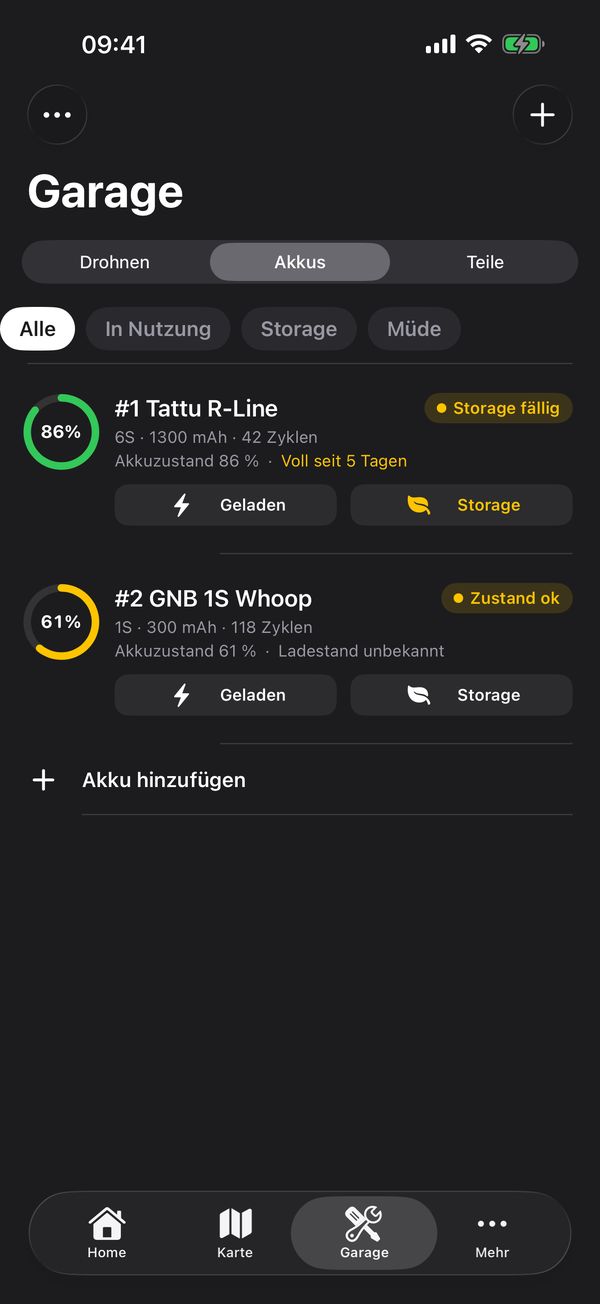
Flyx Map batteries with health, cycles and storage alert
Batteries

LiPos under control

Battery health in percent, charge cycles and a warning when a full pack sits too long.

  • Filters for in use, storage and tired
  • Charged and storage with one tap
  • A reminder before the pack suffers
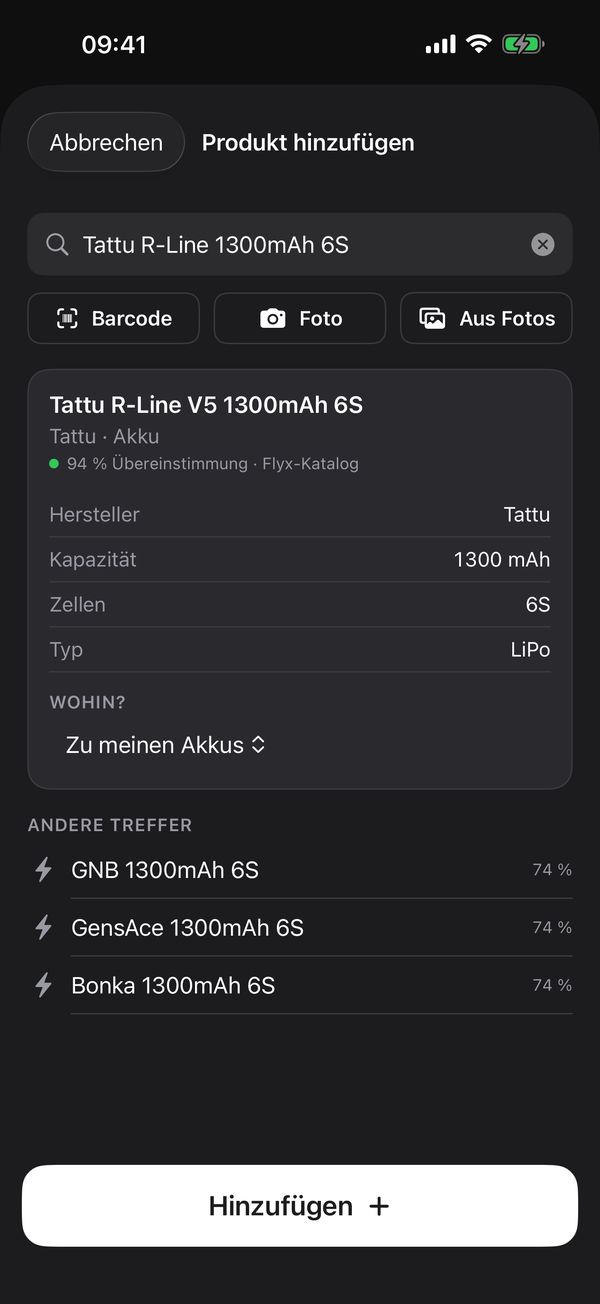
Flyx Map add product: Tattu R-Line recognized with capacity and cells
Recognize products

Type, scan, done

Type a name, scan a barcode or photograph the box. Flyx Map fills in manufacturer and specs from its catalog of more than 600 parts.

  • Knows brands like BetaFPV, RadioMaster, CNHL, Caddx and Holybro
  • Barcodes and photos are analysed on your iPhone only
  • Goes straight to your batteries, parts or drones

Geo zones

Official data, in plain words

Flyx Map uses each country's official geo zones and explains them clearly.

DEGermany · DFS / dipul
CHSwitzerland · swisstopo / FOCA
FRFrance · IGN / DGAC
USUSA · FAA

Important: the flight map and geo zones are information aids, not an official clearance. Always check the official sources before flying.

And also

Small helpers that make the difference

Crew

Join friends with a code: who's flying today, share builds and spots. Reporting and blocking included.

Flight log

Every flight with drone, battery, duration and spot. Automatically.

Maintenance

Reminders by flights or time, so nothing comes loose.

Documents

Licence and important documents always with you.

Statistics & costs

Flight time, flights per week and what your fleet has cost.

Firmware notes

Tells you about new firmware for your gear and camera drones.

Widget & Siri

Flyx Map on your home screen and shortcuts for Siri.

Backup to iCloud Drive

Your data stays with you and moves to your next iPhone.

English & German

The app follows your iPhone's language.

One-time purchaseEvery feature, no subscription, no in-app purchases.
No accountOpen it and go, no sign-up.
No ads, no trackingYour data stays on your iPhone.

Coming soon

Flyx Cut

The second Flyx app is in testing: clips in, finished video out. Flyx Cut edits FPV and action-cam footage to the beat automatically, fully offline on your iPhone. More about Flyx Cut

  • Modes for freestyle, cinematic, crash and bike/ski
  • Your subject stays fully in frame in every scene
  • Gyro stabilisation, level horizon, seven looks
  • Export up to 4K in original quality

FAQ

Frequently asked questions

What does Flyx Map cost?

A one-time purchase on the App Store (1.99 € in Germany; the price in your country is shown in the App Store). You get every feature, with no subscription, no in-app purchases and no ads.

Do I need an account?

No. Open the app and go. Crew only needs a display name.

Is the map a clearance to fly?

No. Flyx Map shows the official geo zones clearly but does not replace a check. Use “Check officially” before every flight.

Which countries have geo zones?

Germany, Switzerland, France and the USA. Garage, batteries, spots and flight log work everywhere.

Where is my data?

On your iPhone and, if you turn it on, as a backup in your own iCloud Drive. Details are in the privacy policy.

Does it work with DJI and other camera drones?

Yes. Switch to camera-drone mode under More; your FPV data stays saved.

Is Flyx Map on Android?

Right now it's iPhone only.

Support

Questions, bugs, wishes?

Just send me an email, I answer personally.

julian_kratzer@web.de

You can also write from the app under More → Feedback & Wishes.